30 June 2026
A practical streaming stack for churches that need capability without waste
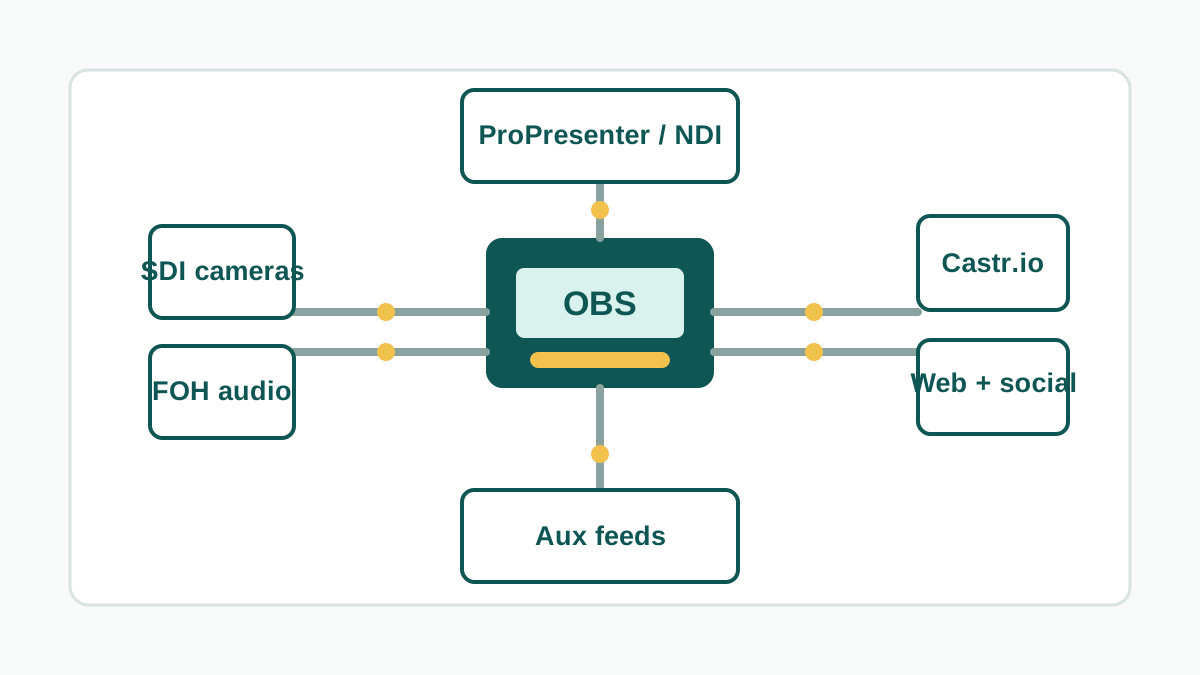
Many churches do not need an enterprise broadcast platform to produce a reliable livestream. What they often need is a well-planned stack that makes good use of existing equipment, separates the right jobs, and gives volunteers a workflow they can understand.
A practical foundation can include OBS Studio for production, a purpose-built stream PC with SDI capture, a Blackmagic Design switcher such as an ATEM Television Studio HD, and Castr.io for sending the final stream to multiple destinations including Facebook, YouTube and an embedded player on the church website.
This approach works because it leans on mature, widely used tools rather than locking the church into one expensive system. OBS Studio is free and open source, and many custom-built computers from the last four to five years are powerful enough to be repurposed as a stream PC when they have suitable storage, memory, graphics capability and a reliable SDI or HDMI capture path.
It also integrates well with presentation workflows. Software such as ProPresenter can send content by NDI, allowing lyrics, sermon slides, lower thirds or confidence feeds to become part of the production without unnecessary cabling or duplicated screens.
Audio is just as important as video. The front-of-house auditorium mix, a dedicated broadcast mix, microphones, media playback and platform audio should be considered as part of the same design. A clear audio path into OBS helps the online audience hear speech and music properly, rather than receiving whatever happens to be convenient from the room system.
The same infrastructure can support more than the public livestream. Auxiliary outputs from the switcher can provide custom feeds for a nursery, foyer, cafe, overflow room or parents room. That means the church can create useful internal viewing options without building a separate system for every space.
Remote management and documentation matter as well. A streaming system should not depend on one person remembering every setting. Network access, device naming, backup scenes, audio routing notes, platform credentials and volunteer handover instructions should be documented so the system remains maintainable after installation day.
The best outcome is not the most expensive streaming desk. It is a setup that gives the church reliable Sunday operation, realistic volunteer training, room to grow, and a clear path for distributing content across the platforms where people already are.